Problem
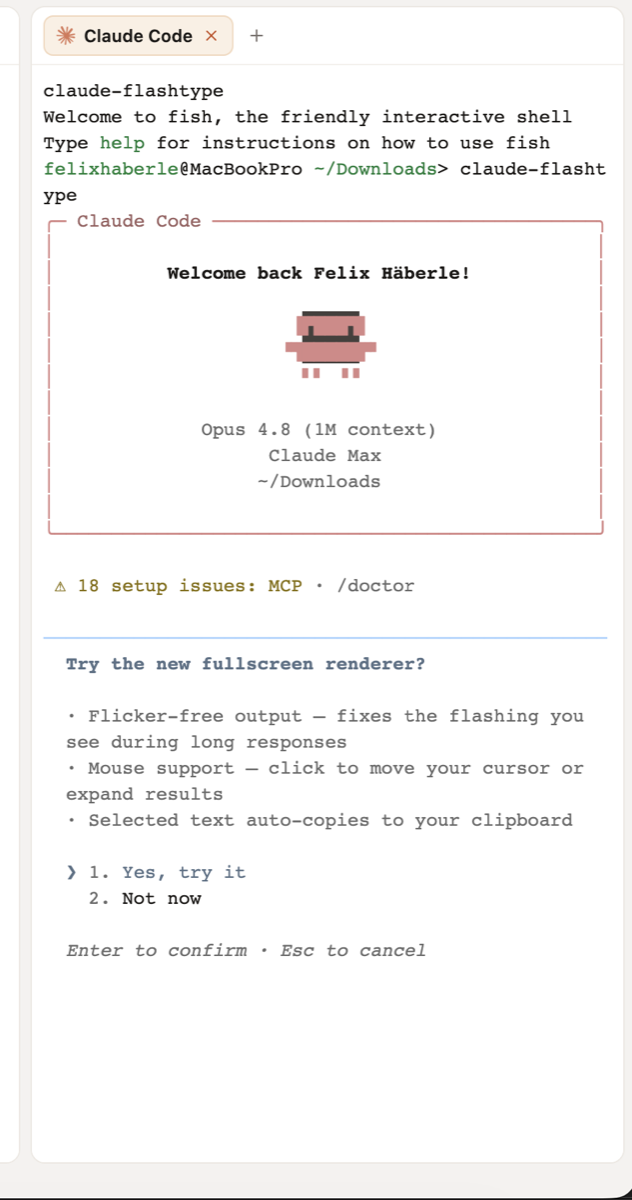
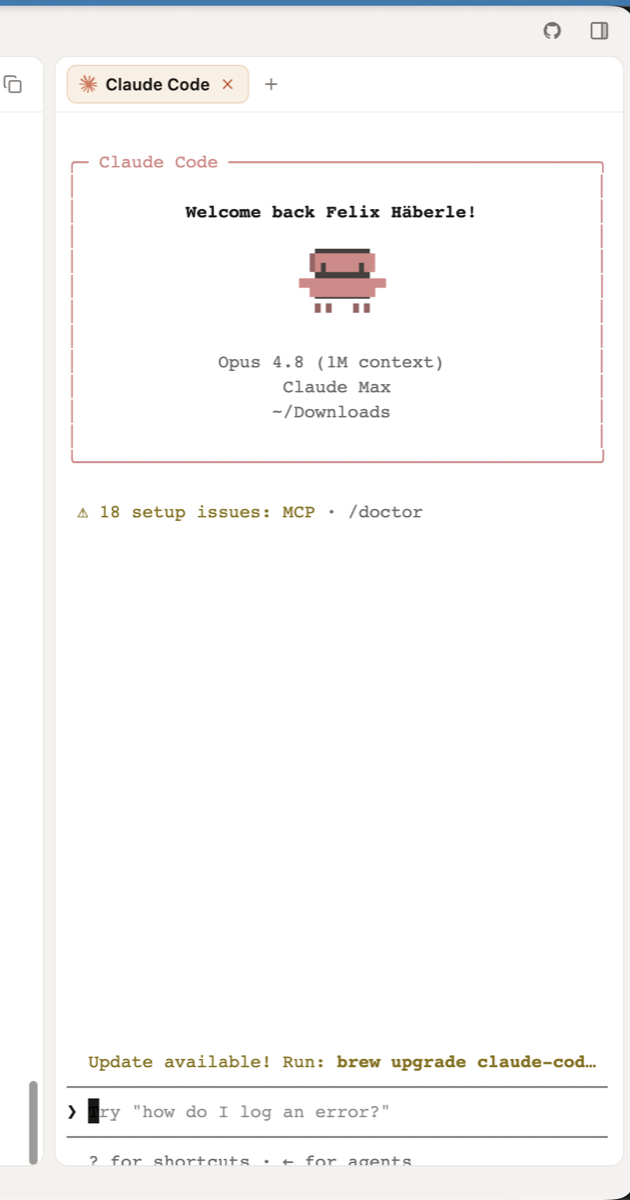
When the Claude Code terminal is shown in Flashtype's fullscreen/expanded mode, the terminal output can overflow past the bottom of the visible panel. The prompt and lower terminal content end up partially outside the available window area instead of being contained by the terminal viewport.
Steps to reproduce
- Open a Claude Code terminal tab in Flashtype.
- Start Claude Code so the welcome/setup output is visible.
- Switch the Claude terminal into the fullscreen/expanded view.
- Observe the bottom of the terminal panel.
Expected behavior
The Claude terminal should stay constrained to the visible fullscreen panel. Output should scroll inside the terminal viewport, and the prompt/input area should remain fully visible and reachable at the bottom.
Actual behavior
In fullscreen/expanded mode, the terminal output extends beyond the bottom edge of the visible window. The lower prompt/input area is clipped or pushed outside the panel, making the terminal difficult to use.
Screenshots
Regular Claude terminal view
Fullscreen/expanded Claude terminal view with bottom overflow
Problem
When the Claude Code terminal is shown in Flashtype's fullscreen/expanded mode, the terminal output can overflow past the bottom of the visible panel. The prompt and lower terminal content end up partially outside the available window area instead of being contained by the terminal viewport.
Steps to reproduce
Expected behavior
The Claude terminal should stay constrained to the visible fullscreen panel. Output should scroll inside the terminal viewport, and the prompt/input area should remain fully visible and reachable at the bottom.
Actual behavior
In fullscreen/expanded mode, the terminal output extends beyond the bottom edge of the visible window. The lower prompt/input area is clipped or pushed outside the panel, making the terminal difficult to use.
Screenshots
Regular Claude terminal view
Fullscreen/expanded Claude terminal view with bottom overflow