In this Lab, we will build a serverless conatiner flask application with AWS CDK in Python, it will create build the flask docker image and then deploy to Fargate task and service in a few lines of CDK Python code.
-
Install Node.js (>= 8.11.x) is a MUST https://nodejs.org/en/download/
or http://nodejs.cn/download/ Note:
The AWS CDK is developed in TypeScript and transpiled to JavaScript. Bindings for Python make use of the AWS CDK engine running on Node.js. -
Install Python >= 3.6
If you code in Python with AWS CDK, Python >= 3.6 is needed. -
Install Docker Make sure docker is running by execute following command:
docker info -
Install the AWS CDK
npm install -g aws-cdk
cdk --version
Updating Your Language Dependencies
pip install --upgrade aws-cdk.core
For more detail of installing AWS CDK, refer to https://docs.aws.amazon.com/cdk/latest/guide/getting_started.html
- Install AWS CLI (Command Line Interface)
pip install awscli
aws --version
For more detail of AWS CLI, please refer to https://aws.amazon.com/cli/
- Config your credentail and default region
Config your credential and default region for this lab. We can use AWS TOKYO region, as region name is ap-northeast-1, and please ask your admin to grant your IAM user's Access Key.
$ aws configure
AWS Access Key ID [****************Y7HQ]:
AWS Secret Access Key [****************rkr0]:
Default region name [ap-northeast-1]:
Default output format [text]:
More detail of aws configure, refer to: https://docs.aws.amazon.com/cli/latest/userguide/cli-chap-configure.html
-
Let's start with a new folder and init the project
mkdir cdk-pycon-flask cd cdk-pycon-flask cdk init app --language=python -
Copy and override requirements.txt to your work folder
-
Now open a Terminal in your IDE and create env and install the dependencies
pip install -r requirements.txt
- Open your IDE as you like:
code .
OR
pycharm .
Now you can start coding your infrastructure.
- Copy and override cdk_pycon_flask_stack.py to your work folder ./cdk_pycon_flask/cdk_pycon_flask_stack.py in your IDE.
- Copy directory flask-docker-app to your work folder ./ in your IDE.
- Deploy the stack in Terminal:
cdk bootstrap
cdk deploy
Enter "y" while deploying ask to confirm.
You can observe via AWS Console -> CloudFormation to see the CloudFormation template is being deploy and after a few minutes, output will display the URL of service.
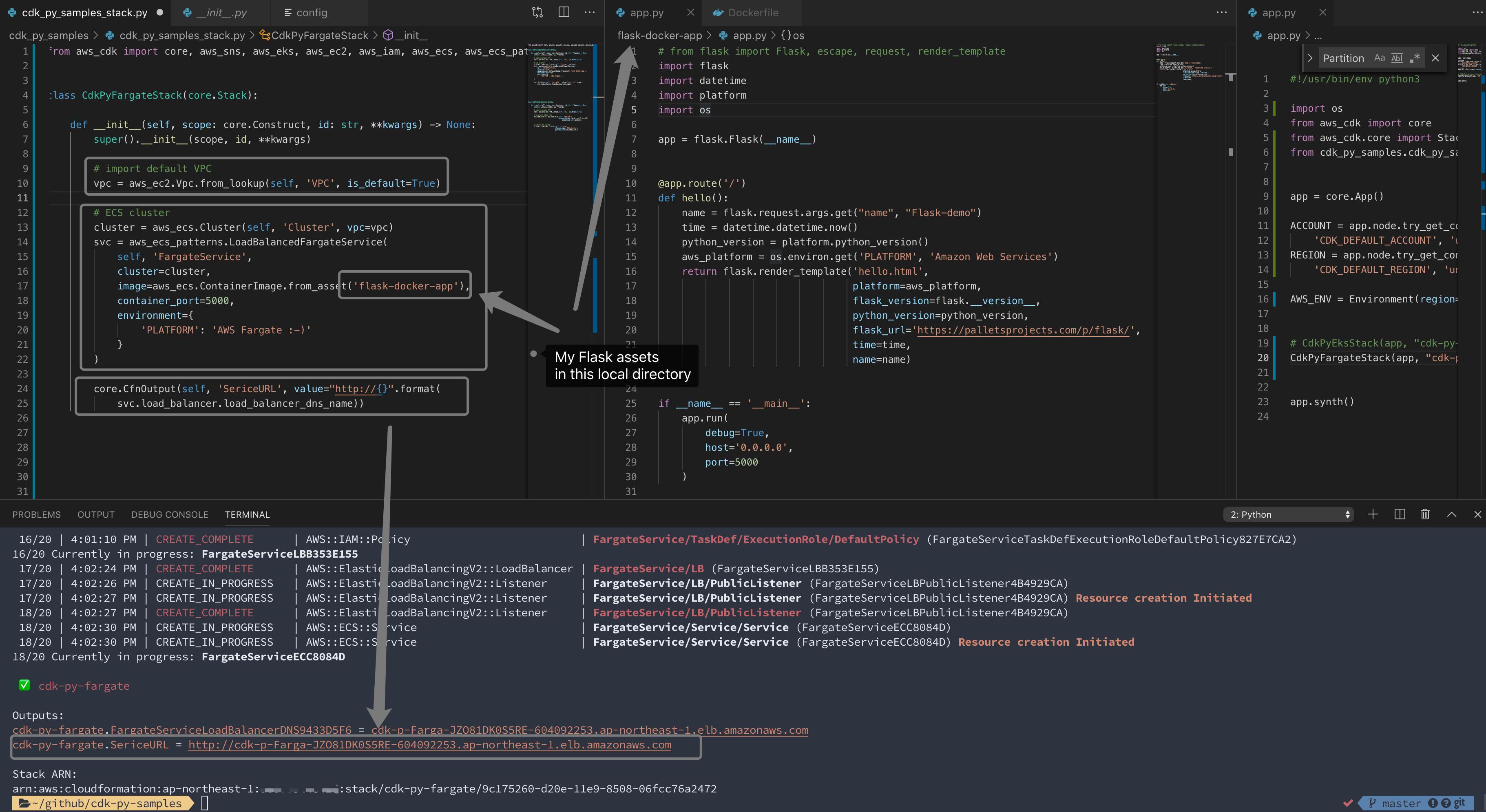
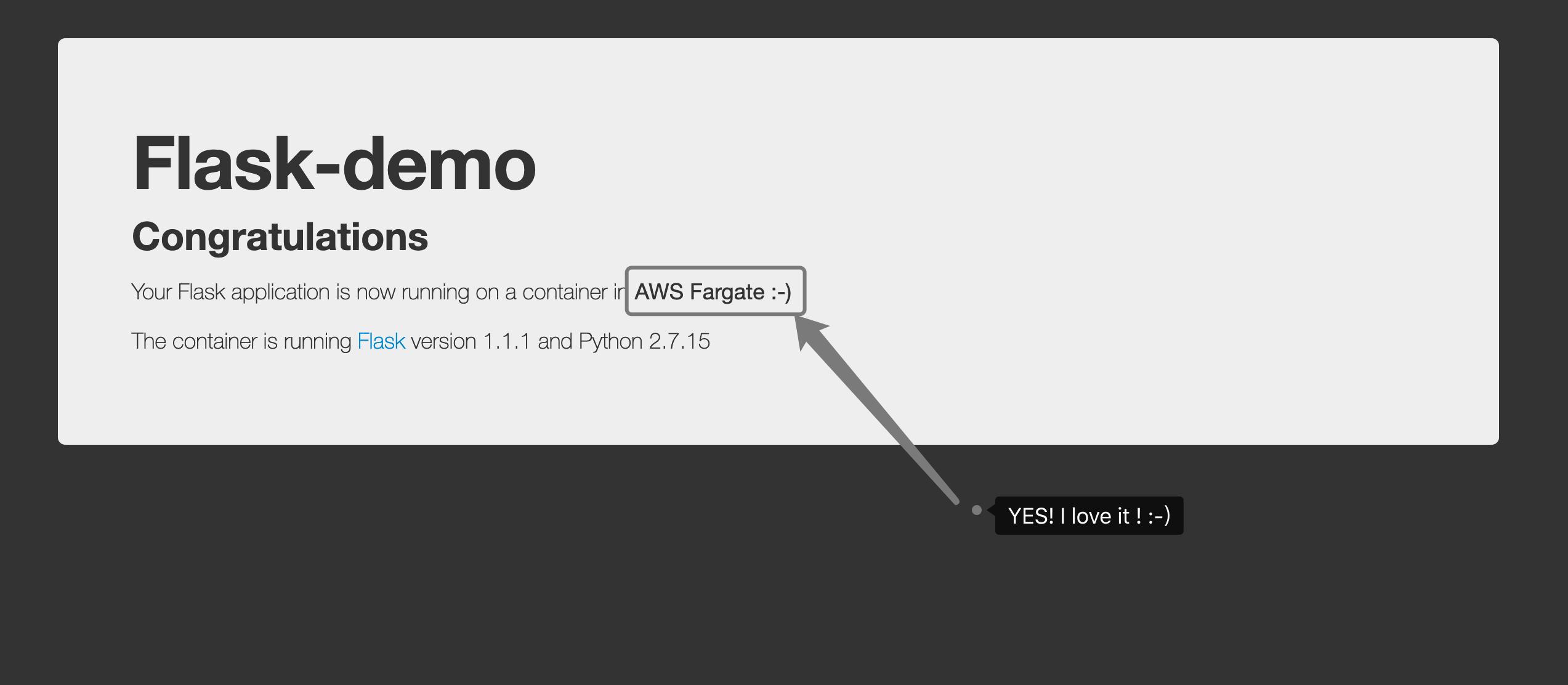
Browse the URL from output of CDK stack, open it in any Web browser
Delete whole stack in one command. It is very easy and clean.
cdk destroy
You can check the CloudFormation in AWS Console -> CloudFormation to confirm the delete completed or find the cause if there is fail.