Archive
Uses Polyglot Interactive Notebooks to demonstrate the capabilities of ScottPlot via PowerShell.
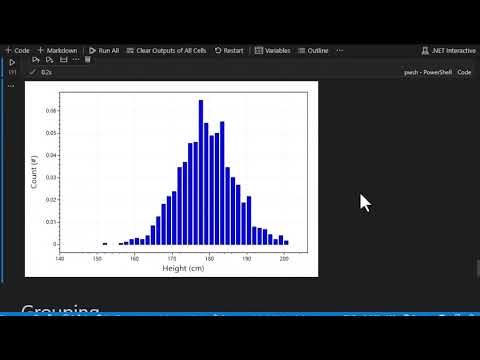
This walks through creating data visualizations with PowerShell and ScottPlot in the interactive notebook rendering visualizations inline.
Is a free and open-source plotting library for .NET that makes it easy to interactively display large datasets.

- Follow these instructions to setup VS Code and the Polyglot Interactive Notebooks extension
- Clone the repo locally
- Finally, Open the
ScottPlot.ipynbfile in VS Code
There are two helper PowerShell scripts.
-
ScottPlotHelper.ps1
- Loads the
ScottPlot.dllandpsgraphNB.ps1 - Has the
Show-ScottPlotInNotebookfunctionShow-ScottPlotInNotebook $plt "$pwd\test.png"- Takes a ScottPlot plot, and name of the image file to generate
- Generates the image file
- Calls the
Show-ImageInNotebookfunction frompsgraphNB.ps1 - Then removes the image file
- Loads the
-
PSGraphNB.ps1
- Has the
Show-ImageInNotebookfunctionShow-ImageInNotebook "$pwd\test.png"- Takes the name of the image file to display
- Displays the image in the output cell of the notebook
- Has the
Check out the rendered notebook and charts here in nbviewer.

