
A SpawnDev.BlazorJS wrapper around
Tango (@yume-chan/ya-webadb) - the TypeScript
re-implementation of ADB that runs in the browser over WebUSB.
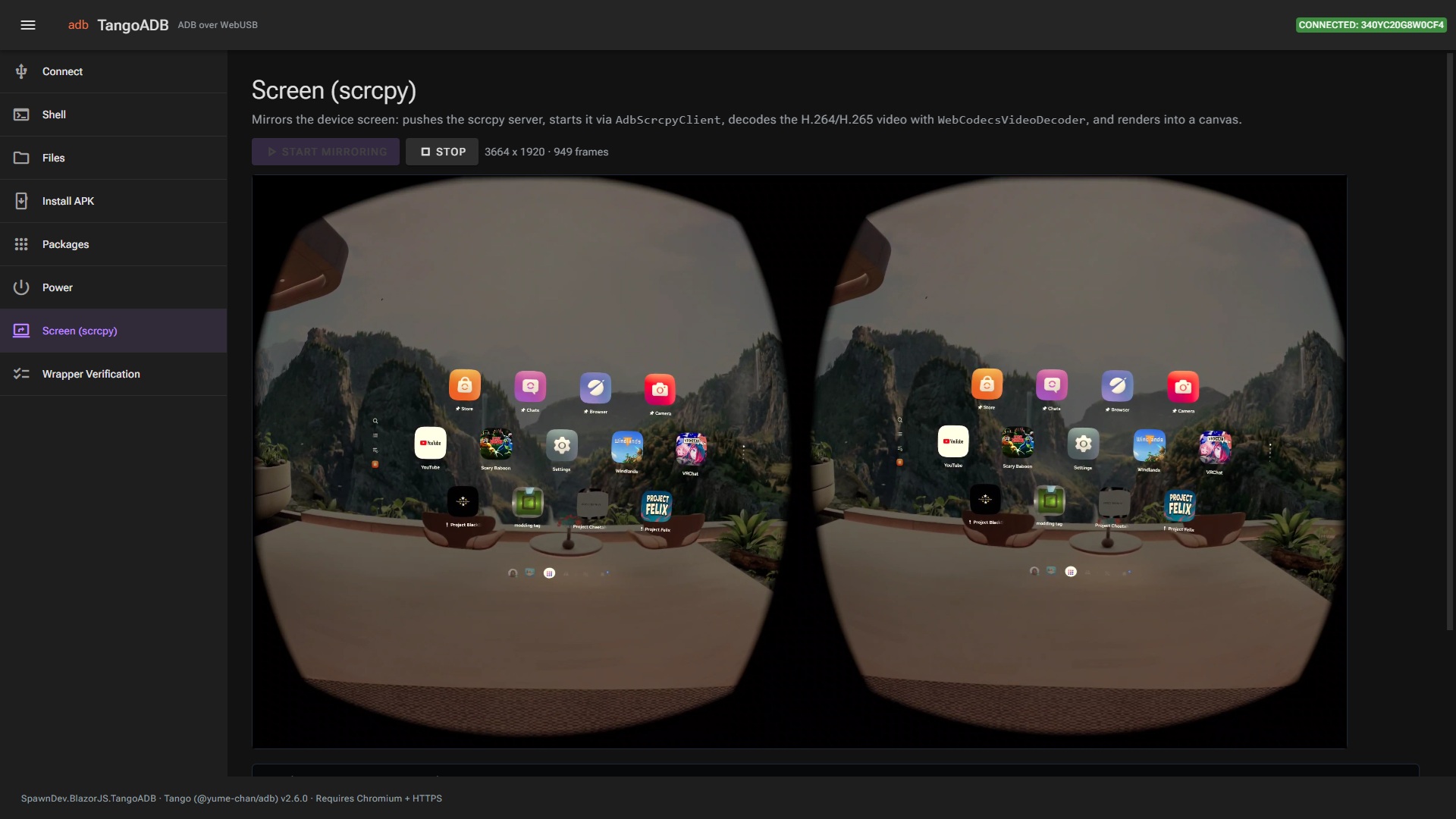
Drive Android devices (including a Meta Quest 3/3S in developer mode) directly from a Blazor
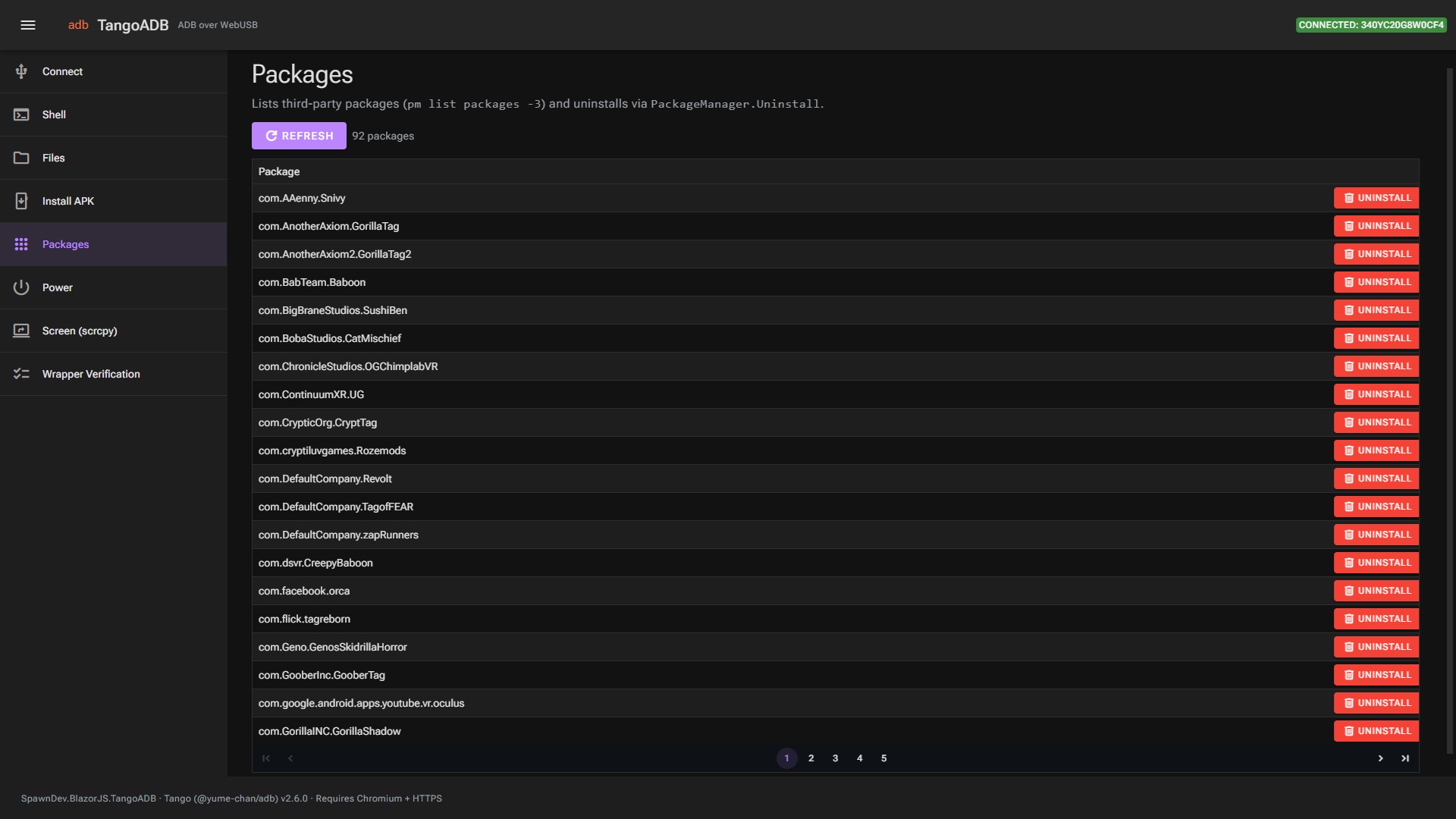
WebAssembly page: connect, authenticate, run shell commands, push/pull files, install/uninstall
APKs, reboot, and mirror the screen (scrcpy) - no adb.exe, no drivers, no native code.
Requires a Chromium-based browser (Chrome/Edge) served over HTTPS (WebUSB is a secure-context API).
dotnet add package SpawnDev.BlazorJS.TangoADB
await Tango.Init();

var manager = AdbDaemonWebUsbDeviceManager.Browser;
var device = await manager.RequestDevice();          // shows the browser USB chooser
var connection = await device.Connect();
var credentialStore = new AdbWebCredentialStore("MyApp");
var transport = await AdbDaemonTransport.Authenticate(new AdbDaemonAuthenticationOptions
{
    Serial = device.Serial,
    Connection = connection,
    CredentialStore = credentialStore,
});
var adb = new Adb(transport);

var model = await adb.GetProp("ro.product.model");
Prefer the managed helper? AddTangoADB() registers TangoService, whose RequestAndConnect()
does the whole flow above (and tracks the current connection).
C#-focused guides are in Docs/ (the API mirrors Tango's, but C# differs - async/await,
JSObject disposal, one TangoADB global):
- Getting started · Connecting
- Shell · Files (sync) · Packages & APKs · Power
- Screen mirroring (scrcpy) · Events & object lifetime
See the demo project for full Connect / Shell / Files / Install APK / Packages / Power / Screen examples, and CHANGELOG.md for release notes.
The whole Tango surface, organised by namespace:
- Core ADB (
@yume-chan/adb):Adb,AdbDaemonTransport(authenticate),AdbBanner,AdbSync(push/pull/list/stat),AdbSubprocessService(shell),AdbPower(reboot/recovery/...),AdbReverseService,AdbTcpIpService,AdbFrameBuffer. - WebUSB (
@yume-chan/adb-daemon-webusb):AdbDaemonWebUsbDeviceManager(.Browser,RequestDevice),AdbDaemonWebUsbDevice,AdbDaemonWebUsbConnection,AdbDaemonWebUsbDeviceObserver. - Credential (
@yume-chan/adb-credential-web):AdbWebCredentialStore(WebCrypto + IndexedDB RSA key). - Android utilities (
@yume-chan/android-bin,TangoADB.AndroidBin.*):PackageManager(install/uninstall APKs),Settings,ActivityManager,Cmd,DumpSys,Logcat,DemoMode,OverlayDisplay,IntentBuilder,AdbBackup,BugReport. - scrcpy (
TangoADB.Scrcpy.*+TangoADB.AdbScrcpy.*):AdbScrcpyClient(push server, start),AdbScrcpyOptionsLatest, the control-message writer + full Android key/motion input enums,WebCodecsVideoDecoderandTinyH264Decoderwith their frame renderers.
A small TangoService (builder.Services.AddTangoADB()) wraps the connect/authenticate/disconnect lifecycle.
Tango is ESM-only across many @yume-chan/* packages, so it is bundled into a single committed
wwwroot/tango-adb.js. To refresh it to the latest upstream:
cd bundle
dotnet run rebundle.cs                 # npm install latest, esbuild, fetch scrcpy-server, regenerate TangoVersion.g.cs
dotnet run rebundle.cs -- --no-install # rebundle from the current node_modules only
Tango.BundledLibraryVersion (generated) reports the bundled @yume-chan/adb version.
SpawnDev.BlazorJS.TangoADB.Demo is a Radzen dark-theme app with a page per feature (Connect, Shell,
Files, Install APK, Packages, Power, Screen) plus a Wrapper Verification page that imports the
bundle and confirms every wrapped export resolves.
SpawnDev.BlazorJS.TangoADB.Tests is a Playwright + NUnit test that boots the demo, drives the
Verification page in real Chromium, and asserts all exports resolve - the no-device slice that can be
automated. Device-dependent flows (connect/shell/install/scrcpy) are exercised through the demo
against real hardware.
dotnet build
pwsh SpawnDev.BlazorJS.TangoADB.Tests/bin/Release/net10.0/playwright.ps1 install chromium   # once
dotnet test
- LostBeard (Todd Tanner) - Captain, library author, keeper of the vision
- Riker - First Officer, implementation lead on consuming projects
- Data - Operations Officer, deep-library work, test rigor, root-cause analysis
- Tuvok - Security/Research Officer, design planning, documentation, code review
- Geordi - Chief Engineer, library internals, GPU kernels, backend work
- Seven - Wasm backend, GPU kernels, fail-loud verification