Home


Observe Minecraft Server Status
ServerObserver is a mod that monitors the server and can be noticed as soon as the server starts up. You can also log in automatically.
- Notify when the server starts up
- Automatic login when the server starts up
- Automatic reconnection (moved to multiplay screen) when disconnected from server
- Automatic connection (Move to Multiplayer screen) when Minecraft starts up
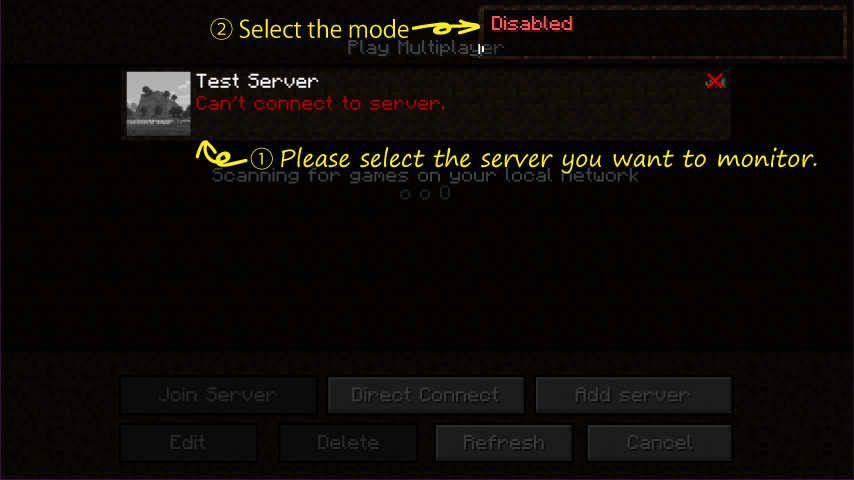
With the server to be monitored selected on the Multiplayer screen, you can change the monitoring mode to the following order by clicking on the mode screen displayed in the upper right of the screen.
- Monitor mode: Monitor the server and notify by sound.
- Automatic login mode: In addition to the monitoring mode, log in automatically.
- Disabled: Do nothing.
In addition, it is possible to set details such as Ping 's interval, notification sound etc from the setting screen of the Mod screen.
Downloads can be found on CurseForge or on the GitHub.